 Knetmeister 3D
Sculpt 3D figures like a pro
3D printing software – Knetmeister 3D Expert
More tools for big 3D printed figures: bend at the joint, gizmo, reference image, ready-made parts and stamps. In English and German, for Windows.
✨ Looking for easy 3D modeling software for 3D printing? A simple Blender alternative – sculpt your figure, no complicated menus. Nomad Sculpt is excellent on iPad. If you are looking for something similar on Windows or Android, Knetmeister 3D Expert sculpts figures and exports STL and OBJ - pay once, no subscription.
✓ Free to try right here – no download, no sign-up
🏫 For schools, makerspaces and businesses: multi-seat licenses on request →
🏥 For hospitals and clinics: free – forever →
One-time $18.99, no subscription. Small updates are free.
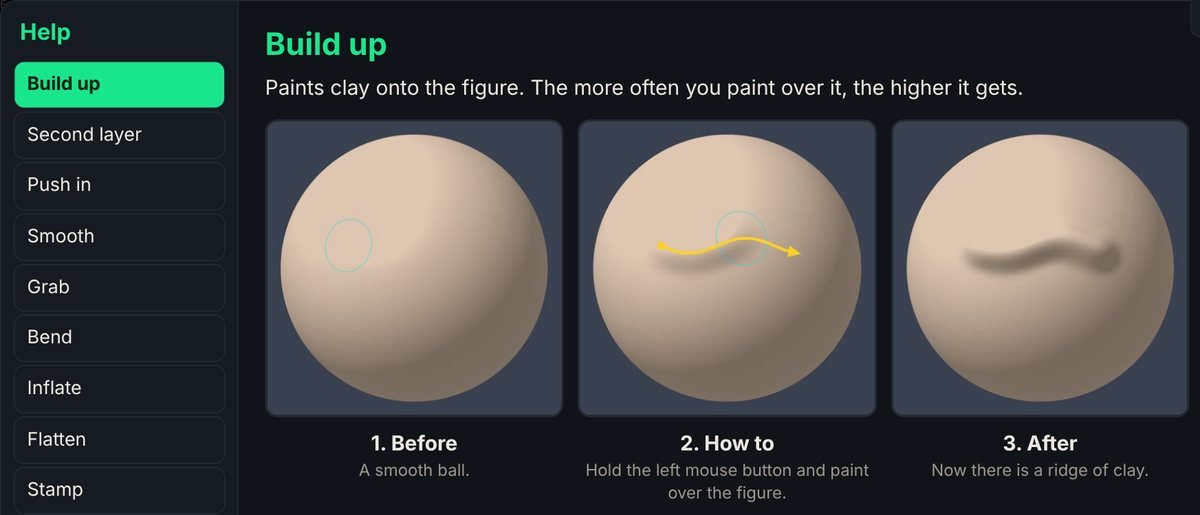
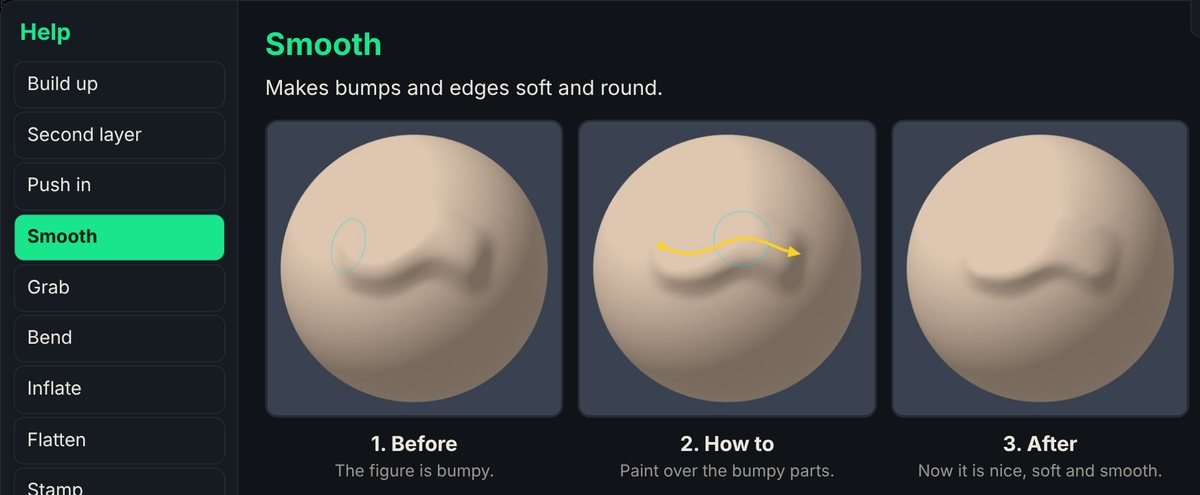
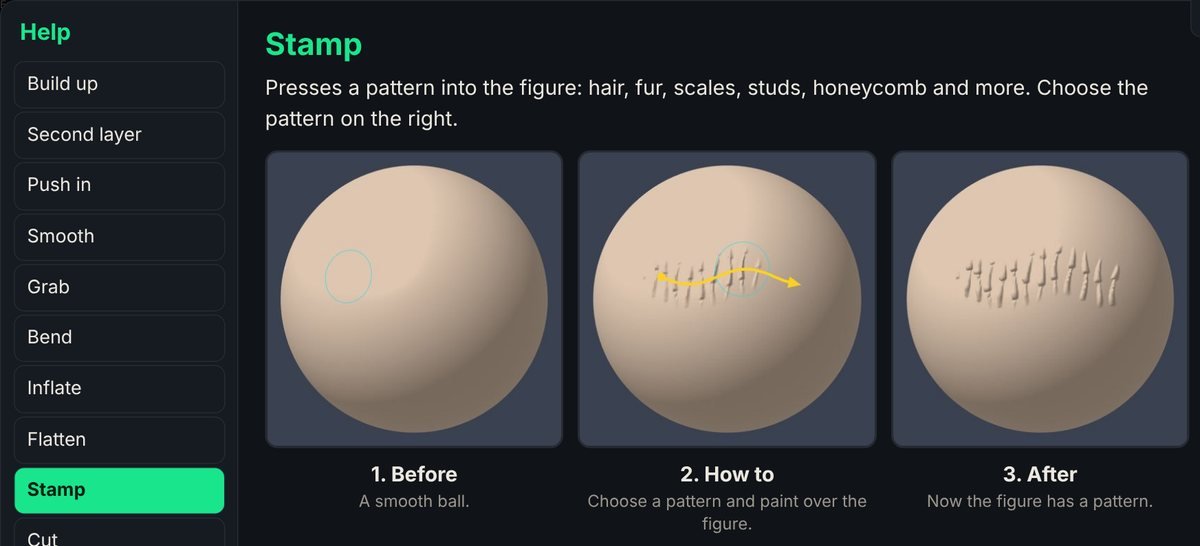
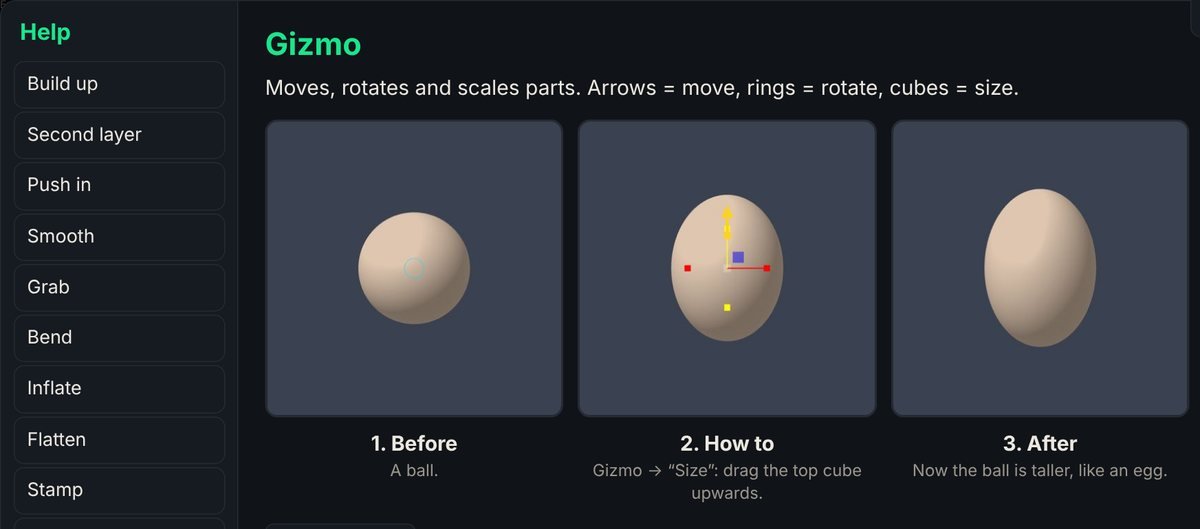
Tools
See it in action
Click a picture to see it big.
🏪 Sell your 3D figures – YES, YOU CAN!
Your figures belong to you. Printing, painting and selling them is allowed, with no extra license and no fees. Find everything about selling and our logo on the start page.
Features
What you can do
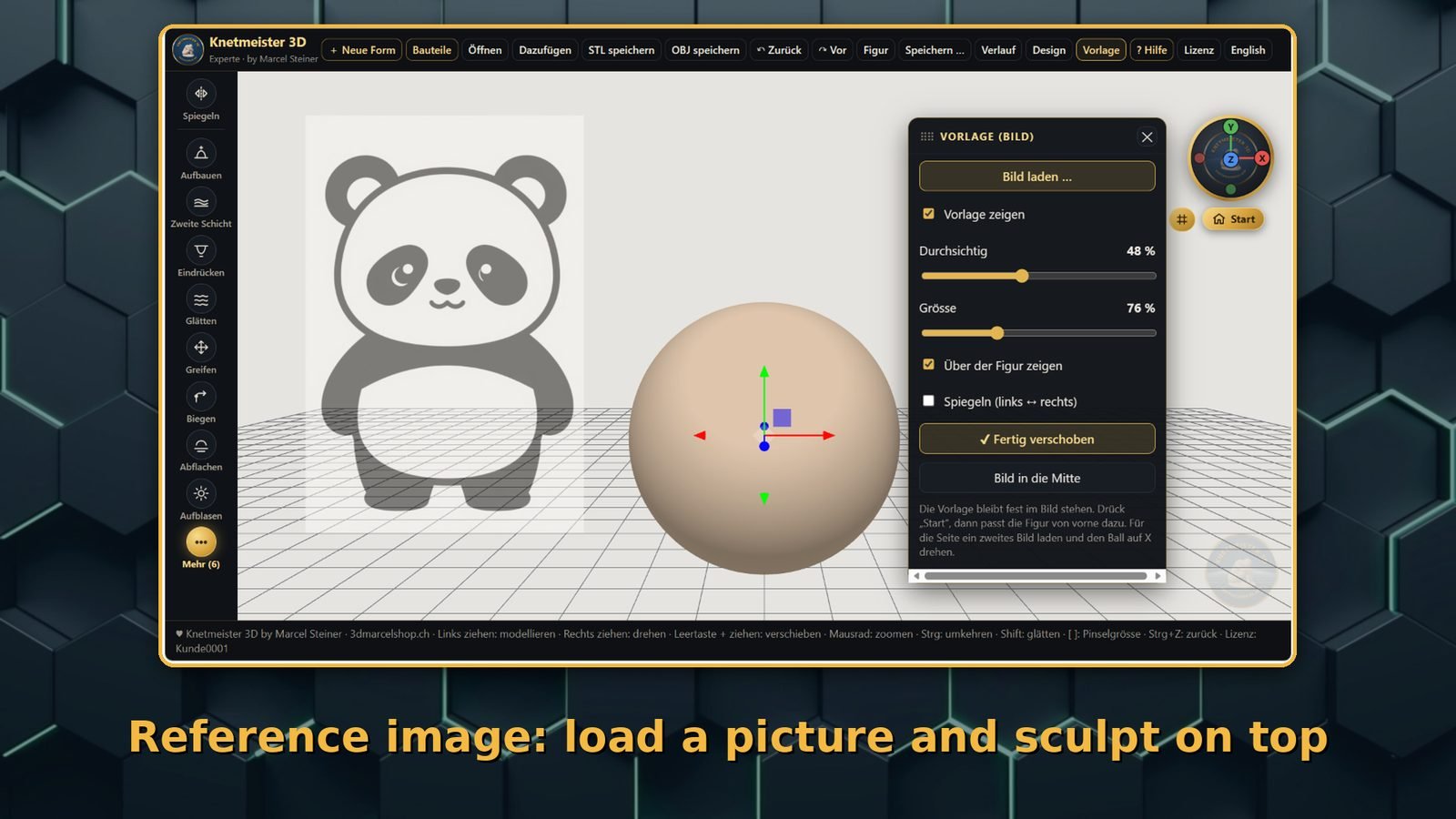
- Reference image: load a picture as background and sculpt your figure right on top
- Gizmo: add belly, legs, ears and arms, then move, rotate and scale them
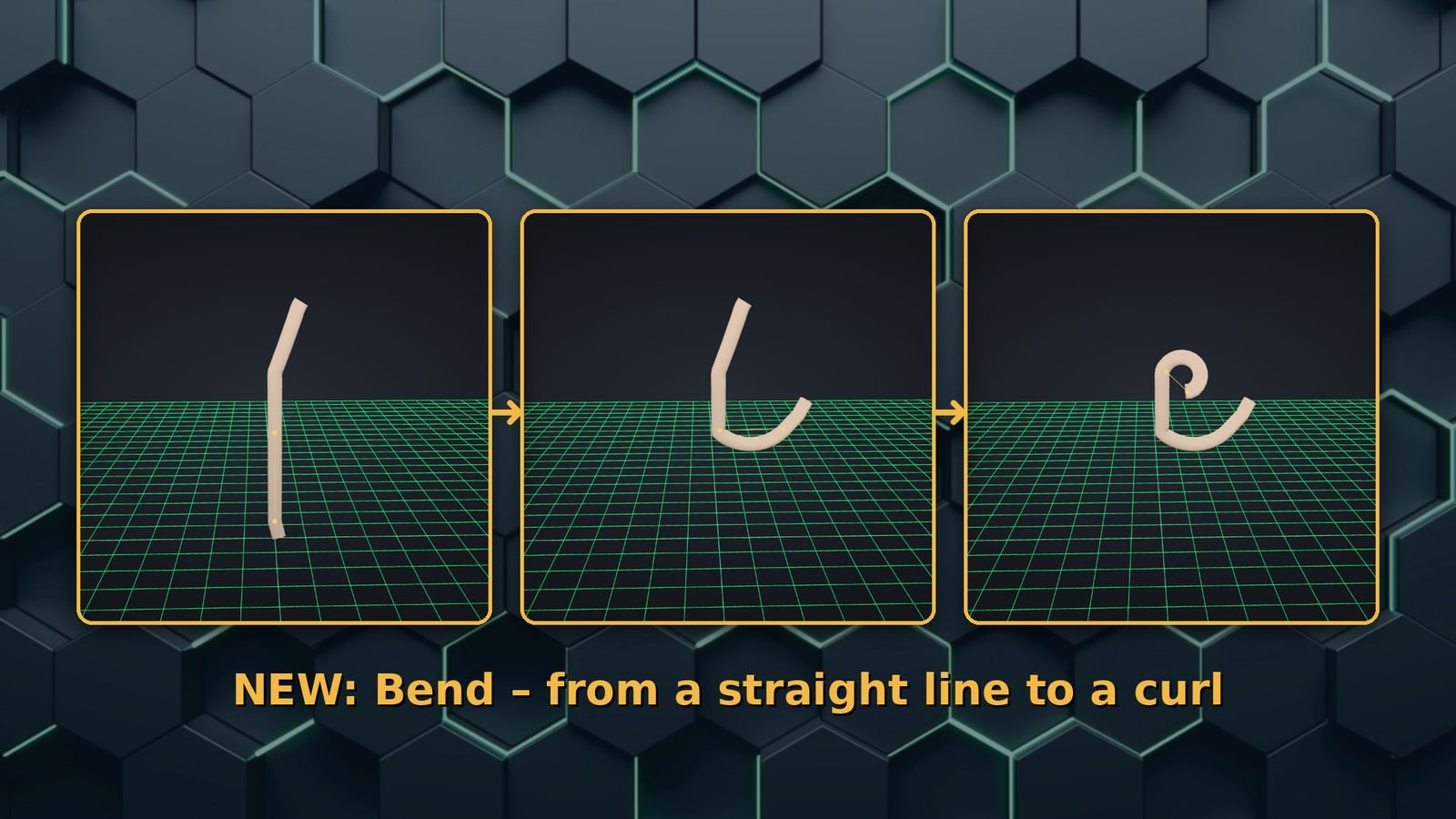
- Bend: bend an arm, leg or branch at the joint
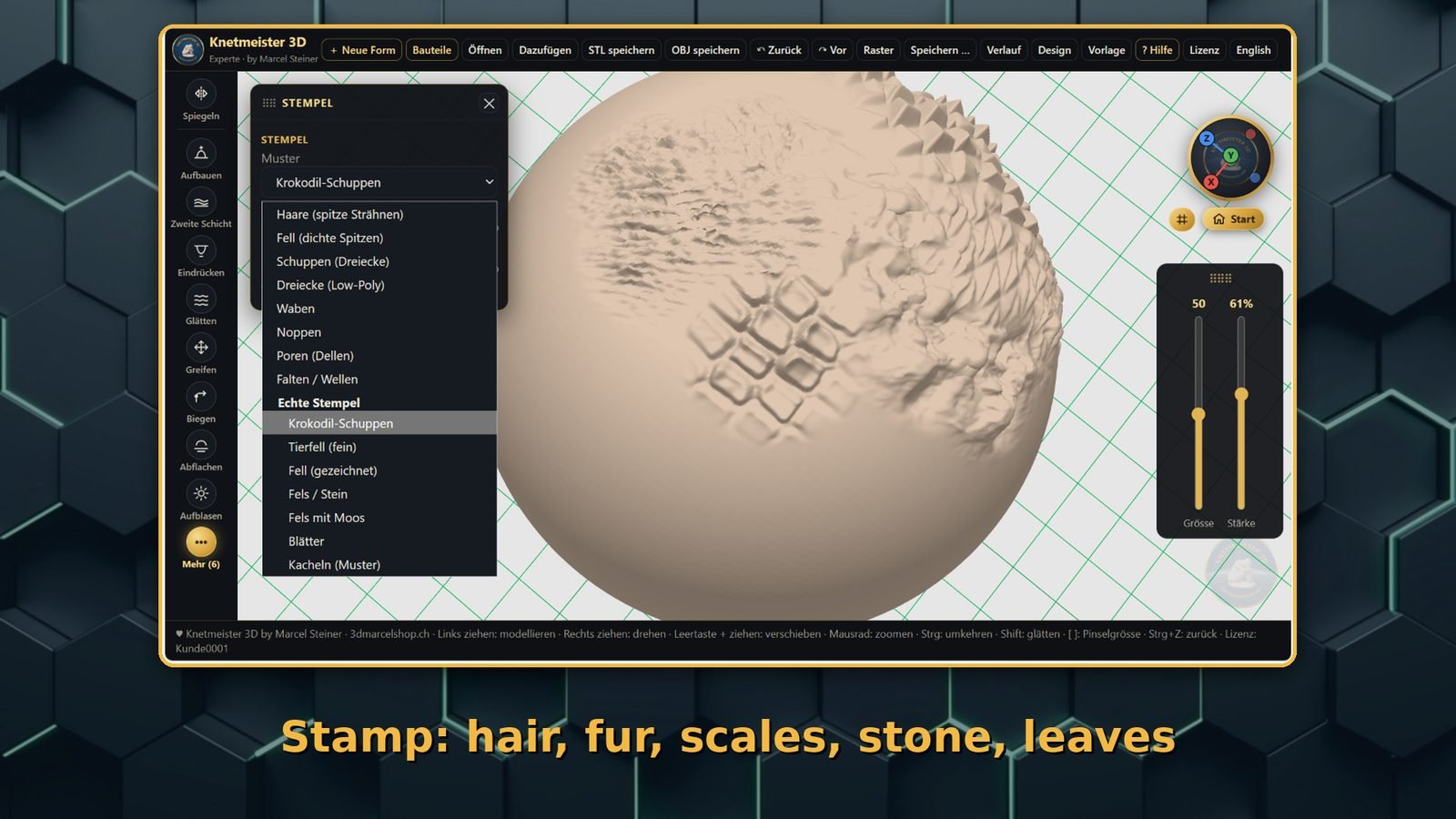
- Stamp: press hair, fur, scales, stone, moss, leaves and more into the surface
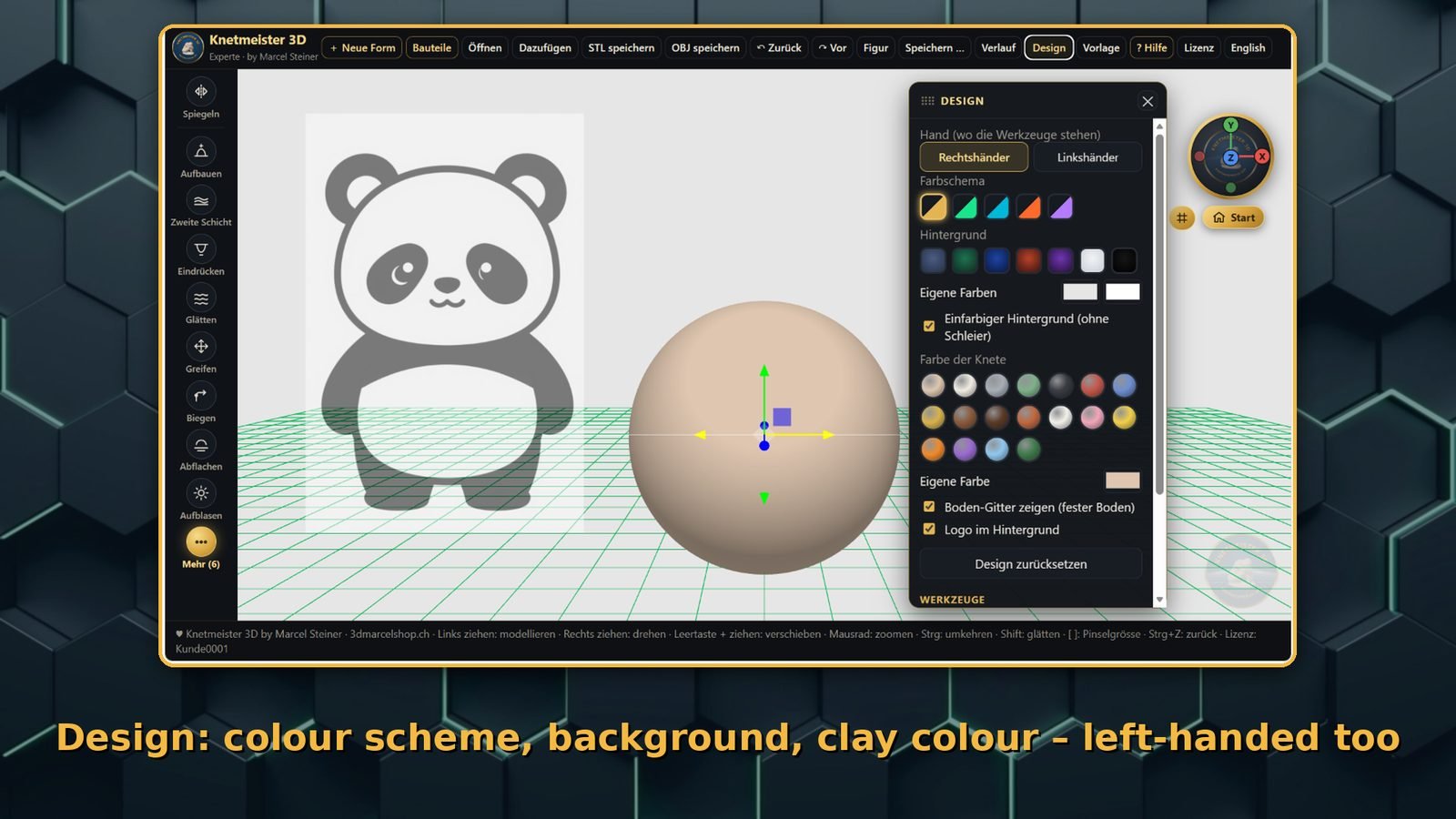
- Design: color scheme, background, over 18 colors and left-handed mode
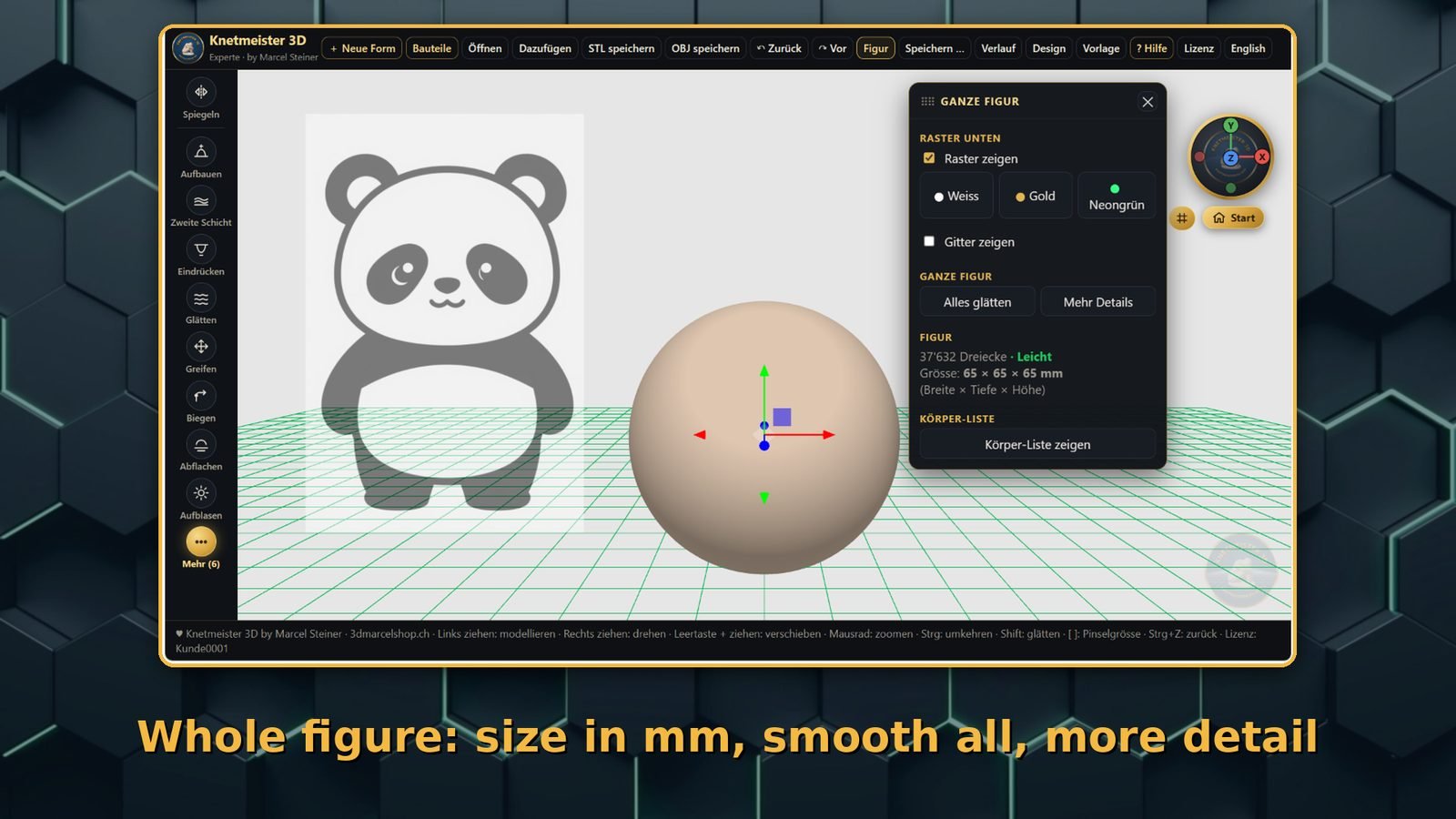
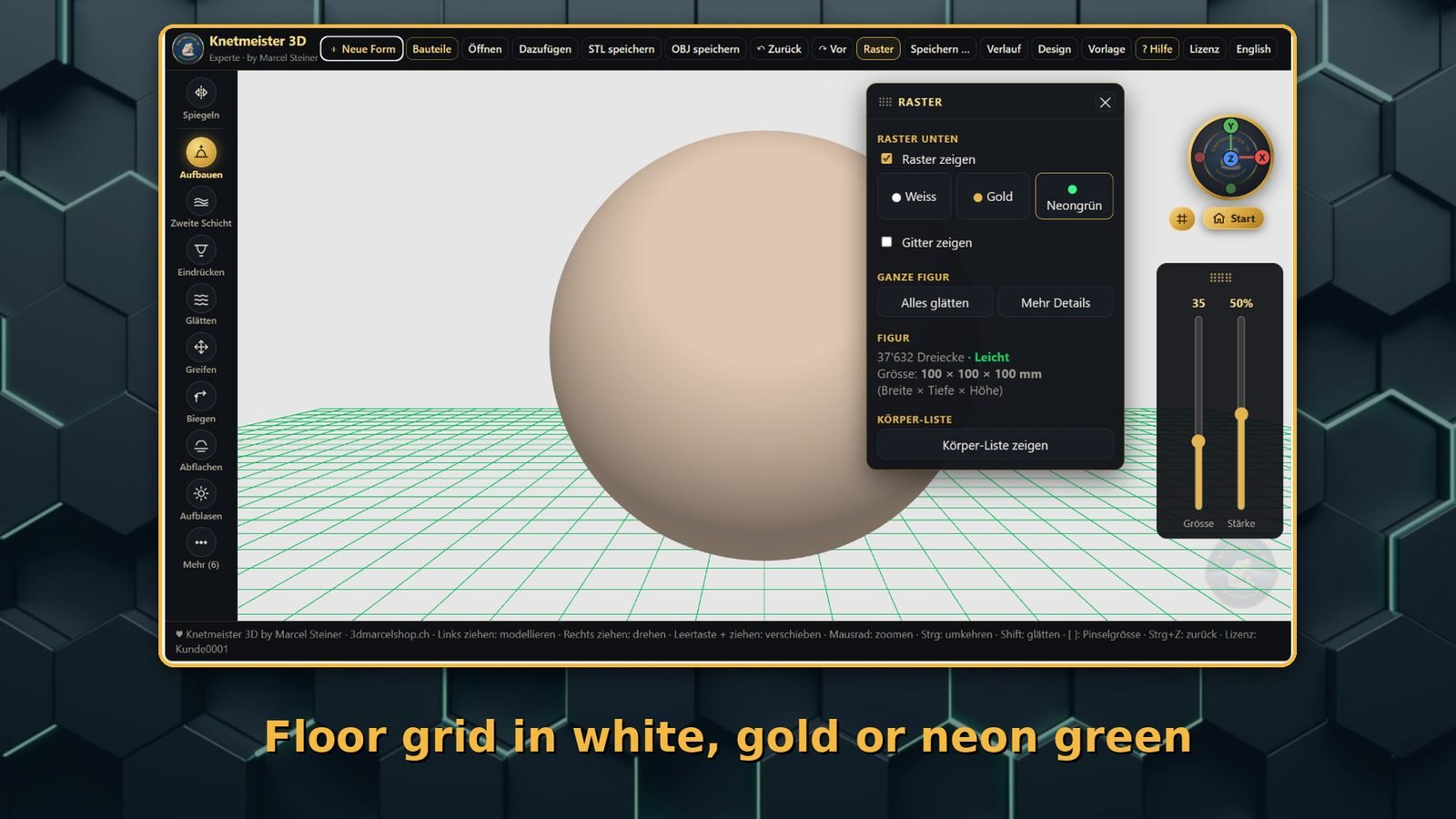
- Grid and figure: floor grid in 3 colors, size in mm, more detail at the push of a button
- Ready-made parts: dragon head, wings, tail, alien head, tentacles and more
- Inflate, flatten, second layer and history
- STL/OBJ export for your 3D printer
- English and German
- Runs locally on your computer – no subscription, no cloud
What users say
“Absolutely great! Easy to use. Highly recommended 😊”
— Anneliese76, comment on itch.io
Original (German): „Absolut klasse! Einfach zu bedienen. Sehr zu empfehlen 😊“
3 easy steps
How to get it
Click “Start sculpting” in the test window on this page. No download and no sign-up.
Buy it once in the Microsoft Store for $18.99. There is no subscription. Saving and exporting work in the full version.
Download the Windows program from the Microsoft Store, open it and shape your first figure.
One-time purchase, no subscription. For Windows, downloaded from the Microsoft Store. Try it free first in the test window on this page.
Comparison
Is Blender too complicated for you?
Blender is powerful, but there is a lot to learn if you just want one figure to print. In the Expert you bend arms and legs at the joint, add parts with the gizmo and sculpt on a reference image.
Blender alternative for beginners: the honest comparison
Blender
- Free and very powerful
- Made for movies, animation, games and much more
- Lots of menus, windows and keyboard shortcuts
- Takes a lot of time to learn
- A lot to learn if you just want one figure to print
Knetmeister 3D Expert
- Sculpt your figure – explained in plain, simple words
- Fully in English (German too)
- Only the tools you need for figures
- Save straight as STL/OBJ for your 3D printer
- Selling your figures is allowed
- Left-handed mode: tools and sliders switch sides
- Mouse, pen or finger – great on touchscreen laptops
Our programs
All the tools for bigger figures: bend, gizmo, reference image, parts and stamps.
In the Microsoft Store · $18.99The easy start: sculpt, cut, drill holes and add ready-made body parts.
To the Beginner →All the Expert tools on your tablet or phone – with your finger or with a pen.
For Android · $9.99 →Get involved
What are you missing?
Would you like a new feature, a new tool or a new part? Tell us.
Send a wishOr write directly to 3d.druck@gmx.ch
Do you like it?
A short rating in the Microsoft Store helps others find Knetmeister 3D. A thumbs up or honest criticism – both are welcome.
Rate it in the Microsoft Store🏥 Free for hospitals and clinics – forever
If you work in a hospital, a children’s hospital or a rehab clinic: Knetmeister 3D is free for you. Not a trial, not a discount – free, for as many computers and tablets as you need, for as long as you want.
Why? After my accident I could hardly move for over a year. Shaping figures did me good. If it helps one child in a hospital bed, that is worth more to me than the money.
Need something changed? Some children cannot click a mouse or hold a pen. If bigger buttons, hover instead of click, or anything else would help your patients, tell me and I will try to build it. I would be glad to.
Or write directly to 3d.druck@gmx.ch
Please tell me the name of your hospital and how many devices you need. A mention of Knetmeister 3D is always welcome, but it is not a condition.
For schools, makerspaces and small businesses
Want to use Knetmeister 3D Expert on several computers? Write to us and we will make you an offer for multiple licenses.
Or write directly to 3d.druck@gmx.ch
Help
Questions and answers
Can I try it first?
Yes. Right on this page: click “Start sculpting” in the test window. No download and no sign-up. Saving only works in the full version, which you buy once in the Microsoft Store for $18.99, with no subscription.
What is the difference to the Beginner?
The Beginner is the easy start. The Expert has more tools: bend at the joint, gizmo, reference image, stamps, more parts and your own colors and design.
Will it run on my computer?
Knetmeister 3D Expert runs on Windows 10 and Windows 11. You can work with a mouse, or on touchscreen devices with a pen and your fingers. Get it in the Microsoft Store.
Is the program in English?
Yes, fully in English. With one click you can also switch to German.
Can I sell my figures?
Yes. Everything you sculpt with Knetmeister 3D belongs to you. You may print and sell it, with no extra license and no fees.
Do my figures stay with me?
Yes. The program runs on your computer. Your figures are not uploaded.